
Visit Site
Adobe Podcast
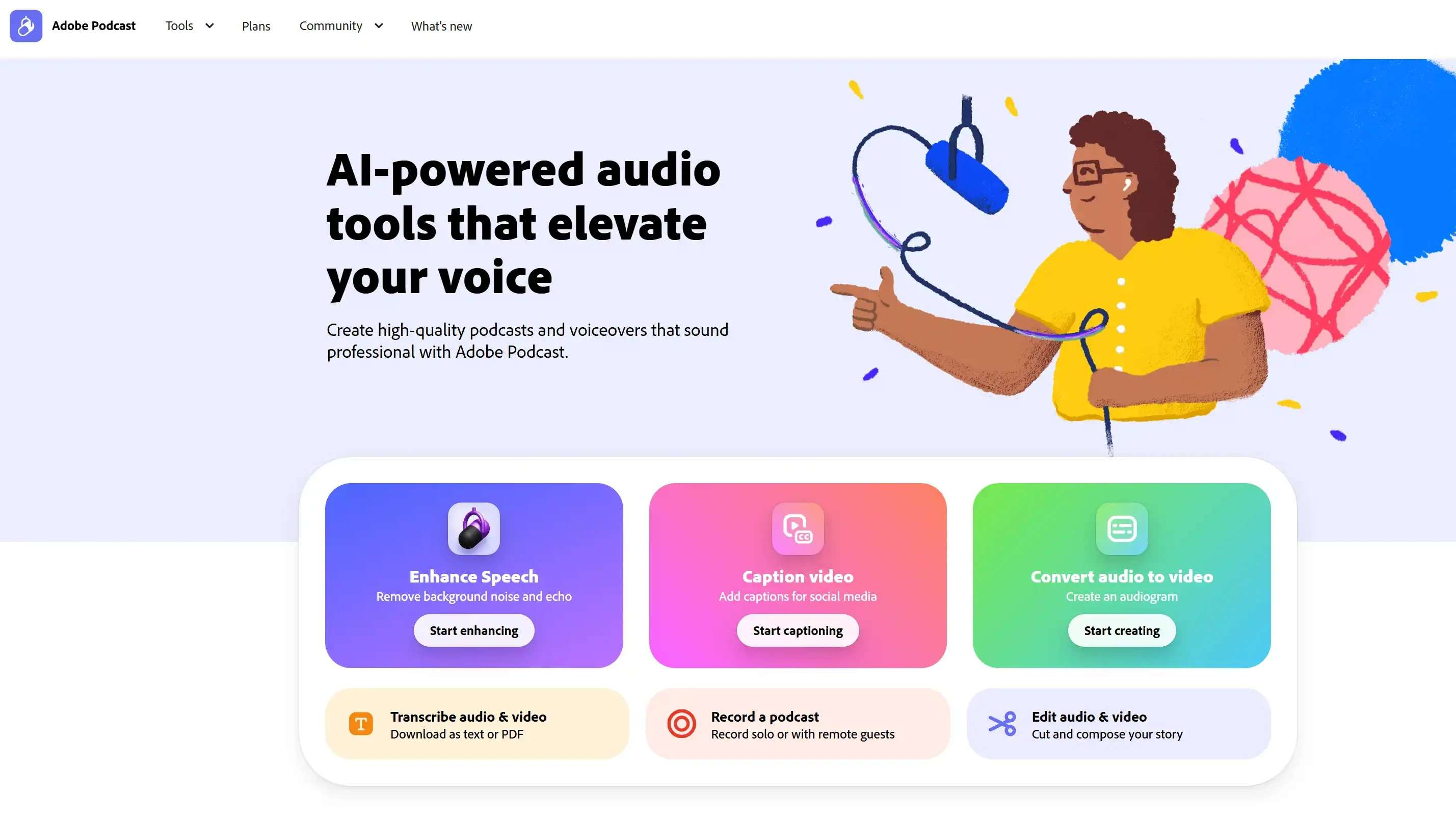
AI-powered audio toolset for recording and editing that makes voice recordings sound like professional studio quality.
FreemiumAudio EnhancementPodcastingAI VoiceTranscription
By Adobe • Founded 2022
About Adobe Podcast
Adobe Podcast is a suite of AI-driven tools designed for high-quality audio creation. It features "Enhance Speech" for professional-grade noise removal and a web-based "Studio" that allows users to record, transcribe, and edit audio using a text-based interface, simplifying complex editing tasks.
Features
- Enhance Speech: Removes background noise and sharpens frequencies.
- Mic Check: Analyzes your microphone setup for optimal recording conditions.
- Transcript-based Editing: Edit audio by deleting or moving text in the transcript.
- Studio: Web-based multi-track recording with remote guest support.
- AI-Powered Filler Word Removal: Automatically detects and removes "ums" and "uhs."
Pros & Cons
Pros
- Best-in-class background noise removal (Enhance Speech).
- Extremely intuitive text-based editing workflow.
- No software installation required (browser-based).
Cons
- Limited features in the free version (file size/duration limits).
- Requires a stable internet connection for the web editor.
Pricing
Free
$0/month
- Enhance Speech (up to 30 mins/day, 500MB limit)
- Basic Studio features
- Mic Check access
Premium
$9.99/month
- Enhance Speech (up to 4 hours/day, 2GB limit)
- Bulk upload capability
- High-quality 48k WAV downloads
- Full Studio editing tools
How to Use Adobe Podcast
1. Optimize: Use "Mic Check" to test your microphone and room acoustics before recording.
2. Record: Enter the "Studio" to record solo or invite remote guests via a link.
3. Edit: Use the AI-generated transcript to edit audio by highlighting and deleting text.
4. Enhance: Upload existing audio files to "Enhance Speech" to instantly remove background noise.
5. Export: Download your finished high-quality audio file for distribution.
Demo Video
Links
Resources
Frequently Asked Questions
It is an AI tool that makes voice recordings sound as if they were recorded in a professional studio by removing background noise.
Reviews
Reviews coming soon.